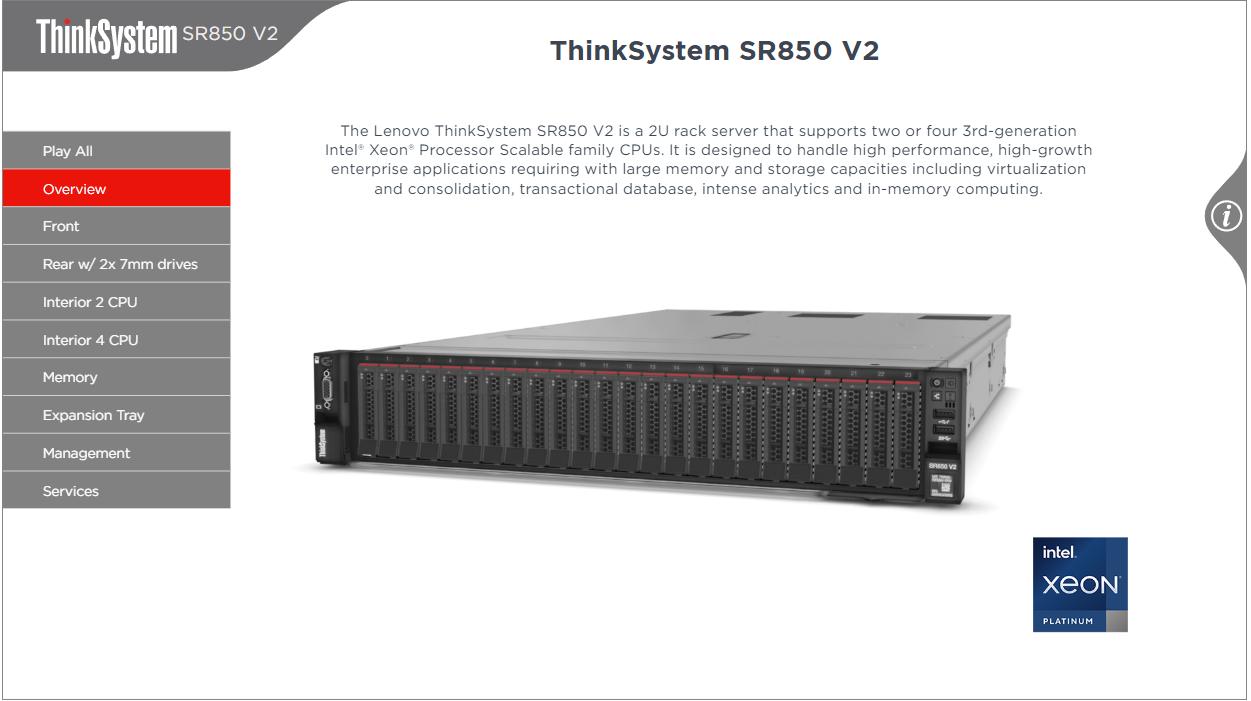
What is the Lenovo ThinkSystem SR850 V2 3D Interactive Tour?
The Lenovo ThinkSystem SR850 V2 3D Interactive Tour is an online, visual walkthrough of the SR850 V2 rack server that lets you explore its components and key features in a hands-on way.
Even though the SR850 V2 is a withdrawn product, the tour is still useful if you:
- Support existing SR850 V2 deployments
- Need to train new team members on the platform
- Want to understand how Lenovo designs and organizes components in a 4-socket rack server
Within the tour, you can:
- See a 3D model of the server and its internal components
- Learn about major features and hardware elements by selecting different views
- Use on-screen buttons and menus to move between perspectives and feature callouts
It’s essentially a self-guided, visual briefing that helps you reimagine hardware training and documentation—without needing physical access to the server.
How do I navigate and control the 3D model in the tour?
The 3D tour is designed to be straightforward to navigate with either a mouse or a touch device. You can:
- **Rotate the model**
- Desktop: Use the **left mouse button** and drag.
- Touch devices: Use a **one-finger touch** and drag.
- **Pan or move the model**
- Desktop: Use the **right mouse button** and drag.
- Touch devices: Use a **two-finger touch** and drag.
- **Zoom in and out**
- Desktop: Use the **mouse wheel** to scroll in or out.
- Touch devices: Use a **pinch gesture** to zoom.
You can also:
- Use the **menu on the left side** of the page to switch between different features and views of the server.
- Click **“Play All”** to automatically cycle through all available views, which is helpful for quick overviews or training sessions.
These controls make it easy to zoom into specific components, pan across the chassis, and rotate the server to see it from multiple angles.
What else is available around the SR850 V2 tour in Lenovo’s portfolio?
Around the SR850 V2 3D Tour, Lenovo surfaces a broader portfolio that can help you plan or extend your infrastructure beyond a single server model. Key areas include:
- **Data Storage**
Options span multiple series and form factors, such as:
- ThinkSystem **DE, DG, DM, DB, DS** Series
- **SAN storage**, **software-defined storage**, **direct-attached storage**, and **SAN switches**
- **Tape backup units**, **tape drives**, and **tape autoloaders and libraries** for long-term retention.
- **Networking**
Connectivity choices include:
- Top-of-rack and embedded networking
- **1 Gb, 10 Gb, 25 Gb, 40 Gb, and 100 Gb Ethernet**
- **InfiniBand** and campus networking solutions.
- **Software and Ecosystem Integrations**
Lenovo highlights alliances and validated solutions with:
- **IBM, Intel, Microsoft, Nutanix, Red Hat, SAP, VMware**, and others
- Use cases such as **AI**, **big data analytics**, **databases** (Oracle, Microsoft SQL Server, IBM Db2, SAP HANA), **virtualization**, **cloud**, **DevOps**, **edge and IoT**, **HPC**, and **security**.
- **Operating Systems and Management**
- OS support via **OSIG** for Microsoft Windows, VMware vSphere, Red Hat Enterprise Linux, and SUSE Linux Enterprise Server
- Systems management tools like **Lenovo XClarity** and other utilities for managing servers and networks.
When you use the SR850 V2 3D Tour, you’re not just seeing a single server in isolation—you’re also getting a window into how it fits into Lenovo’s broader ecosystem of storage, networking, operating systems, and management tools that can help you reshape your overall infrastructure strategy.
.png "NOVA IT Solutions")



 Sign in with LinkedIn